

Post:
The UX Mistakes Quietly Killing Shopify Sales
A lot of Shopify stores look good.
They have polished branding, strong photography, clean typography, smooth animations, and expensive themes. On the surface, everything appears “done”.
But many of these stores still struggle with conversion, retention, average order value, and customer trust.
Why?
Because visual design and user experience are not the same thing.
A beautiful Shopify store can still create friction at every stage of the customer journey.
What Actually Hurts Conversion
Most ecommerce brands focus heavily on aesthetics:
Better banners
New fonts
Trendier layouts
More animations
More content
More apps
But customers rarely leave because your button radius is wrong.
They leave because:
They cannot quickly understand your product
Navigation feels confusing
Product pages overwhelm them
The buying journey feels slow
Important information is hidden
Mobile interactions feel awkward
Trust is not established fast enough
This is where UX design becomes critical.
Good UX removes hesitation.
Great UX creates momentum.
The Difference Between “Looks Nice” and “Works Well”
One of the biggest issues in ecommerce is confusing UI design with UX strategy.
UI design is what users see.
UX design is how users think, move, decide, and convert.
A Shopify store should guide users naturally through:
Discovery
Validation
Trust
Decision
Checkout
When any of these stages feel unclear, conversion drops.
That means UX work is often less about adding things and more about simplifying what already exists.
Common Shopify UX Problems I See
After reviewing and designing Shopify experiences across fashion, lifestyle, SaaS-integrated ecommerce, and DTC brands, the same issues appear repeatedly.
1. Overdesigned Homepages
Many homepages try to say everything at once.
Too many banners.
Too many moving elements.
Too many competing messages.
Users should understand:
What you sell
Why it matters
Why they should trust you
…within seconds.
Clarity almost always outperforms complexity.
2. Weak Product Pages
The product page is where most conversion decisions happen.
Yet many stores:
Push key information too far down
Hide delivery/returns details
Overload users with tabs
Use unclear variant selectors
Ignore mobile-first interactions
Strong product page UX focuses on confidence and decision-making.
3. Mobile Experience Is Treated Like a Smaller Desktop
Most ecommerce traffic is mobile.
Yet many Shopify experiences are still designed desktop-first.
Buttons become cramped.
Navigation becomes layered.
Sticky elements fight for space.
Content becomes difficult to scan.
Good mobile UX is not compression.
It is prioritisation.
4. Too Many Apps
Apps solve problems.
But they also introduce:
Slower performance
Inconsistent UI
Visual clutter
Competing interactions
The best Shopify stores often feel simpler because they are more intentional.
UX Is Also a Business Tool
This is the part many brands overlook.
UX is not only about aesthetics or usability.
It directly impacts:
Conversion rate
Average order value
Retention
Customer satisfaction
Support requests
Brand perception
A better user experience often means fewer abandoned carts, fewer confused customers, and stronger long-term growth.
The Best Ecommerce Experiences Feel Effortless
When UX is done properly, users barely notice it.
The journey simply feels natural.
Products are easier to discover.
Information feels clearer.
Purchasing feels faster.
Trust feels stronger.
That is the difference between a store that looks modern and a store that performs.
Final Thought
Shopify gives brands incredible flexibility.
But flexibility can also create noise.
The stores that stand out are rarely the ones doing the most.
They are usually the ones creating the clearest, fastest, and most intuitive experience for their customers.
Good UX design is not decoration.
It is strategy.
And in ecommerce, strategy converts.
Next Post


UX Design & Reserach
Crafting User-Focused Digital Experiences For Advanced Customer Engagement.
UX Design Consultant & Strategist Advisor @ Self-Employed (Me&Co) | UI Designer, UX Product Researcher, Brand Designer, Social Media Manager.As a Consultant, Mentor, Researcher, UX/UI Designer, and Developer, I am passionate about crafting intuitive and user-centric digital experiences. With a strong foundation in UX strategy, UI design, and development, I bridge the gap between research, design, and technology to create innovative and scalable solutions. My expertise extends across multiple industries, delivering impactful products through a mix of design thinking, user research, and technical execution.
With years of experience, I have successfully led and contributed to numerous projects, enhancing user engagement and optimizing business performance. My ability to integrate UX principles with cutting-edge technology ensures that I develop solutions that are not only aesthetically pleasing but also highly functional and user-friendly.
Let’s make your product easier to use
Contact me, on the following links.


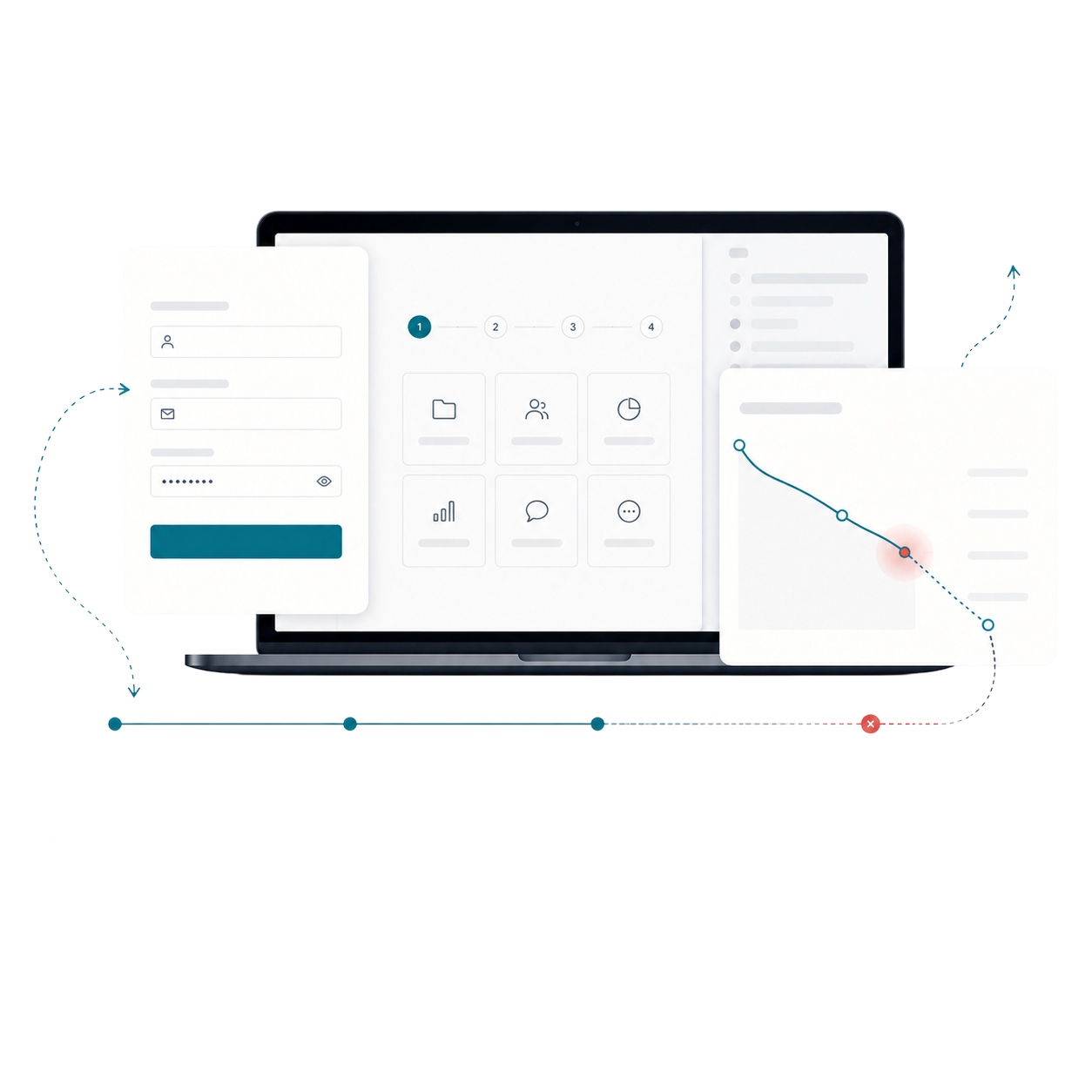
START WITH THE PROBLEM
Have a product, store or digital experience that needs clearer thinking?
I help SaaS founders, Shopify brands and agencies diagnose friction, design better journeys and deliver interfaces that can actually be built.


UX · PRODUCT · SHOPIFY · DEVELOPMENT
I solve usability problems before they become business problems — connecting UX, product thinking and build-ready delivery.

Available for selected remote projects


© 2026 Steve Roberts / ME&CO. All rights reserved.



MENU


Post:
The Shopify Conversion Checklist: 50 Ways to Improve Your Store
Getting more sales from a Shopify store does not always require a complete redesign.
Often, the biggest improvements come from fixing small points of friction across the customer journey — unclear messaging, weak product pages, distracting navigation, missing trust signals or an overly complicated checkout experience.
The Shopify Conversion Checklist is designed to help store owners identify those issues quickly.
What Is the Shopify Conversion Checklist?
The checklist is a practical 50-point resource covering the key areas that influence whether someone browses, buys or leaves.
It helps you review your store from a customer’s perspective and identify improvements across:
• Homepage clarity
• Navigation and search
• Collection pages
• Product pages
• Trust and credibility
• Mobile usability
• Cart and checkout
• Shipping and returns
• Performance
• Customer retention
Each point is designed to be clear, actionable and easy to review without needing specialist tools.
Why Conversion Problems Are Often Hard to Spot
When you work on your store every day, it becomes difficult to see where customers may be getting confused.
You already know where products are located, how delivery works and what makes your business different. A new visitor does not.
They may leave because they cannot immediately understand the offer, find the right product, trust the business or complete their purchase easily.
The checklist helps expose those gaps before they continue costing you sales.
Who Is It For?
The Shopify Conversion Checklist is useful for:
• Shopify store owners
• Ecommerce managers
• Founders preparing to launch
• Designers working on ecommerce projects
• Marketing teams trying to improve conversion rates
• Agencies reviewing client stores
It can be used before a redesign, after a launch, during a quiet sales period or as part of an ongoing optimisation process.
Use It as a Quick Store Audit
Work through each point and mark every item as complete, incomplete or needing improvement.
You can then turn the results into a clear priority list.
Start with anything that affects purchasing confidence or prevents customers from completing an order. After that, focus on improvements that make products easier to find, understand and compare.
The goal is not to change everything at once. It is to identify the changes most likely to make the customer journey clearer and easier.
Improve the Store You Already Have
More traffic is not always the answer.
Before spending more on advertising, make sure the store is doing enough to convert the visitors it already receives.
The Shopify Conversion Checklist gives you a structured way to review the experience, identify missed opportunities and create a practical improvement plan.
View the Shopify Conversion Checklist
View the Shopify Conversion Checklist and start reviewing your store today.
Next Post


UX Design & Reserach
Crafting User-Focused Digital Experiences For Advanced Customer Engagement.
UX Design Consultant & Strategist Advisor @ Self-Employed (Me&Co) | UI Designer, UX Product Researcher, Brand Designer, Social Media Manager.As a Consultant, Mentor, Researcher, UX/UI Designer, and Developer, I am passionate about crafting intuitive and user-centric digital experiences. With a strong foundation in UX strategy, UI design, and development, I bridge the gap between research, design, and technology to create innovative and scalable solutions. My expertise extends across multiple industries, delivering impactful products through a mix of design thinking, user research, and technical execution.
With years of experience, I have successfully led and contributed to numerous projects, enhancing user engagement and optimizing business performance. My ability to integrate UX principles with cutting-edge technology ensures that I develop solutions that are not only aesthetically pleasing but also highly functional and user-friendly.
Let’s make something happen
Send me an Enquiry, Book a Discovery Call
Contact me, on the following links.
Let’s make something happen
Send me an Enquiry, Book a Discovery Call
Contact me, on the following links.
START WITH THE PROBLEM
Have a product, store or digital experience that needs clearer thinking?
I help SaaS founders, Shopify brands and agencies diagnose friction, design better journeys and deliver interfaces that can actually be built.


UX · PRODUCT · SHOPIFY · DEVELOPMENT
I solve usability problems before they become business problems — connecting UX, product thinking and build-ready delivery.
Available for selected remote projects


© 2026 Steve Roberts / ME&CO. All rights reserved.

HOME
MENU

Post:
The Shopify Conversion Checklist: 50 Ways to Improve Your Store
Getting more sales from a Shopify store does not always require a complete redesign.
Often, the biggest improvements come from fixing small points of friction across the customer journey — unclear messaging, weak product pages, distracting navigation, missing trust signals or an overly complicated checkout experience.
The Shopify Conversion Checklist is designed to help store owners identify those issues quickly.
What Is the Shopify Conversion Checklist?
The checklist is a practical 50-point resource covering the key areas that influence whether someone browses, buys or leaves.
It helps you review your store from a customer’s perspective and identify improvements across:
• Homepage clarity
• Navigation and search
• Collection pages
• Product pages
• Trust and credibility
• Mobile usability
• Cart and checkout
• Shipping and returns
• Performance
• Customer retention
Each point is designed to be clear, actionable and easy to review without needing specialist tools.
Why Conversion Problems Are Often Hard to Spot
When you work on your store every day, it becomes difficult to see where customers may be getting confused.
You already know where products are located, how delivery works and what makes your business different. A new visitor does not.
They may leave because they cannot immediately understand the offer, find the right product, trust the business or complete their purchase easily.
The checklist helps expose those gaps before they continue costing you sales.
Who Is It For?
The Shopify Conversion Checklist is useful for:
• Shopify store owners
• Ecommerce managers
• Founders preparing to launch
• Designers working on ecommerce projects
• Marketing teams trying to improve conversion rates
• Agencies reviewing client stores
It can be used before a redesign, after a launch, during a quiet sales period or as part of an ongoing optimisation process.
Use It as a Quick Store Audit
Work through each point and mark every item as complete, incomplete or needing improvement.
You can then turn the results into a clear priority list.
Start with anything that affects purchasing confidence or prevents customers from completing an order. After that, focus on improvements that make products easier to find, understand and compare.
The goal is not to change everything at once. It is to identify the changes most likely to make the customer journey clearer and easier.
Improve the Store You Already Have
More traffic is not always the answer.
Before spending more on advertising, make sure the store is doing enough to convert the visitors it already receives.
The Shopify Conversion Checklist gives you a structured way to review the experience, identify missed opportunities and create a practical improvement plan.
View the Shopify Conversion Checklist
View the Shopify Conversion Checklist and start reviewing your store today.Next Post


UX Design & Research
Crafting User-Focused Digital Experiences For Advanced Customer Engagement.
UX Design Consultant & Strategist Advisor @ Self-Employed (Me&Co) | UI Designer, UX Product Researcher, Brand Designer, Social Media Manager.As a Consultant, Mentor, Researcher, UX/UI Designer, and Developer, I am passionate about crafting intuitive and user-centric digital experiences. With a strong foundation in UX strategy, UI design, and development, I bridge the gap between research, design, and technology to create innovative and scalable solutions. My expertise extends across multiple industries, delivering impactful products through a mix of design thinking, user research, and technical execution.
Agile and human centred design










START WITH THE PROBLEM
Have a product, store or digital experience that needs clearer thinking?
I help SaaS founders, Shopify brands and agencies diagnose friction, design better journeys and deliver interfaces that can actually be built.


UX · PRODUCT · SHOPIFY · DEVELOPMENT
I solve usability problems before they become business problems — connecting UX, product thinking and build-ready delivery.
Available for selected remote projects

© 2026 Steve Roberts / ME&CO. All rights reserved.

ABOUT
UX CONSULTANT
UX RESEARCH
UI & GRAPHICS
SOFTWARE
PORTFOLIO
RESOURCES
BOOKS
BLOG
